What it looks like
Screens from version 1.0.7, not mockups.

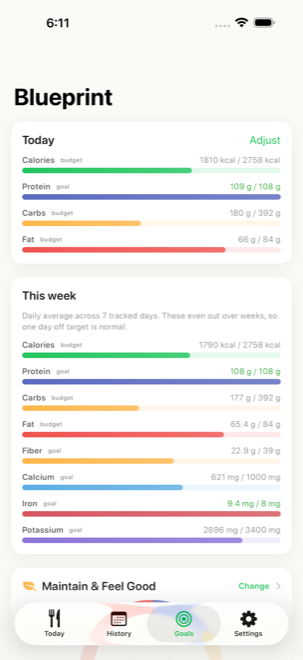
iPhone & iPad · Version 1.0.7
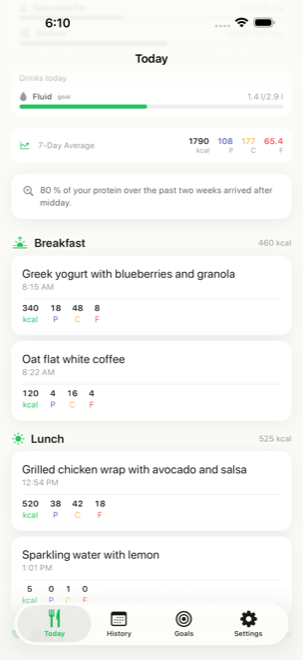
Type what you ate the way you would say it. Calories, protein, carbs and fat come back in seconds.
25 analyses included. No account, no email, no card.
An example, not a promise. Every figure is an estimate, and you can correct any line of it.
Most tracking apps make you find your food in a database. This one reads a sentence.
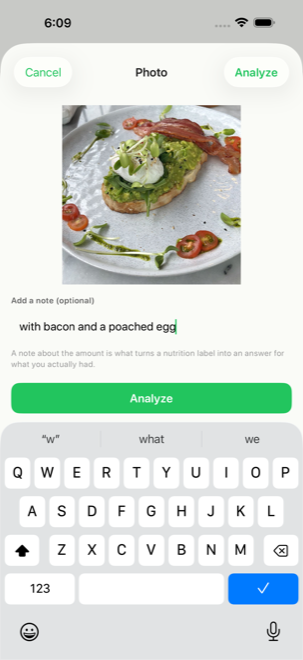
“Bratwurst in a roll with mustard” is enough. So is a picture of the plate, with a note if the portion was unusual.
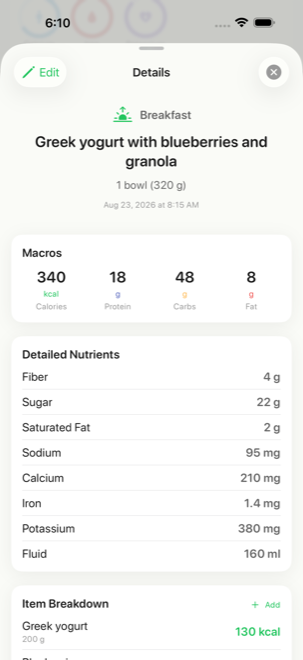
Calories and macros, plus fibre, sugar, saturated fat, sodium, calcium, iron, potassium and more, broken down per ingredient.
Change any line, several at once, and the whole meal is worked out again. Renaming something costs nothing at all.
Screens from version 1.0.7, not mockups.
Both go to the same analysis. A photo can carry a note, so “half of this” is understood.
If the portion is wrong, change that one line. Several corrections go out together as one recalculation.
Beyond calories and macros: fibre, sugar, saturated fat, sodium, calcium, iron, potassium, magnesium, zinc, vitamin D, B12, caffeine, alcohol and fluids.
Breakfast, lunch, dinner or snack come from the time you logged it. There is nothing to set.
Home screen and lock screen widgets, and spoken shortcuts that log a meal without opening the app.
English, German, French, Spanish, Italian, Japanese, Korean, Portuguese and Simplified Chinese, including the food names.
History syncs through your iCloud account, so a new phone picks up where the old one stopped.
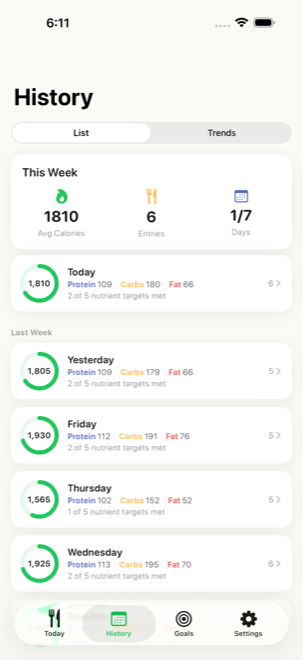
Calories and macros derived from height, weight, age, activity and what you are aiming for.
Water, coffee and everything else count toward a fluid target, and caffeine is tracked separately.
A nutrition app asks you to tell it what you eat. That deserves a straight answer about where it goes.
The full detail is in the privacy policy.
25 analyses are included so you can find out whether it works for you. After that it is a subscription, cancellable in Settings at any time.
Prices shown in euro for Germany; the App Store shows your local price. Subscriptions renew until cancelled.
It is an estimate, the same way reading a label and guessing your portion is an estimate. It is usually close for ordinary food and less certain for a home-cooked dish nobody could weigh. That is why every line can be corrected, and why the app never presents a figure as a measurement.
No. There is nothing to sign up for, no email is asked for, and there is no password to forget. Your history lives on your device and in your own iCloud.
Logging does. The analysis needs a connection, so an entry made offline waits and is worked out as soon as you are back online.
No. The figures are estimates and the targets are general reference values from published guidance, not medical or dietary advice. Talk to a doctor or dietitian about decisions that matter.
Everything you already logged stays, and you can keep reading your history. New analyses need a subscription.
iPhone and iPad running iOS 16 or later.